Law Firm Cybersecurity Best Practices:
Protect Client Data and Trust

With most client information stored and shared online, confidentiality is harder to maintain than ever. Protecting client data now means planning for phishing, ransomware, and human error, not just locked file rooms and controlled physical access.
You don’t need an enterprise cybersecurity team to reduce risk. Clear priorities, consistent habits, and systems built for legal work make it easier to follow law firm cyber best practices. Here are 12 modern ways to safeguard private information, stay compliant, and strengthen client trust along the way.
Why Is Law Firm Cybersecurity So Important Now?
Clients trust you with sensitive information that can’t be shared with anyone else: financial records, health details, trade secrets, deal terms, strategy memos, and privileged communications.
That makes your law firm a high-value target for cybercriminals, and even a “small” incident can create outsized fallout.
Depending on the severity of the data breach, that could mean:
- Disrupted operations
- Reputational damage
- Breach notification and remediation costs
- Loss of clients and future revenue
- Client lawsuits or malpractice claims
- Regulatory fines, legal exposure, and financial penalties
IBM found that data breaches targeting professional services organizations, like law, consulting, and accounting firms, result in average costs over $5.08 million. And a recent Verizon data breach investigation report determined that 68% of breaches stem from human error (like clicking on a phishing link).
That’s why cybersecurity is part of your professional duty. ABA Model Rule 1.6(c) expects lawyers to make “reasonable efforts” to prevent unauthorized access to client information. And the ABA’s Formal Opinion 477R reinforces that securing electronic communications may require enhanced protections depending on sensitivity and risk.
When you focus on the right digital data controls and habits, meeting these expectations becomes far more manageable and consistent across your firm.
What Matters Most for Cybersecurity
Law firm security works best when you treat it like an ongoing program, not a one-time checklist. The strongest programs are built on four core areas that work together:
- Governance and Risk Management: Clear policies, ownership, and routine assessments reduce unknowns.
- Human and Cultural Defense: Most breaches start with people: a convincing email, a reused password, a rushed click. Training and simple guardrails prevent the most common, costly mistakes.
- Technology Controls and Architecture: The goal is controlled access, strong authentication, encryption, and resilient backups, so one compromised account doesn’t become a firm-wide crisis.
- Client Trust, Compliance, and Business Resilience: Clients increasingly ask about your security posture and documentation. Security becomes a differentiator when you can answer confidently.
Why start with governance? Because many firms still lack basic policies in the areas attackers target most. According to the ABA’s survey data:
- 45% of law firms do not have email use policies
- 49% do not have internet use policies
- 50% do not have computer acceptable use policies
- 50% do not have remote access policies
- 56% do not have social media use policies
That’s exactly why the best practices below focus on building a program: governance first, then people and technology. With these protections in place, your firm can reduce risk in a repeatable way.
12 Best Practices for Law Firm Cybersecurity
You don’t have to overhaul everything at once to improve your firm’s cybersecurity standards. The goal is to reduce risk with practical steps you can actually maintain, starting with the fundamentals that make every other security decision easier.
Work through these best practices in order, and you’ll build a program that’s consistent, repeatable, and easier for your team to follow.
1. Assign Ownership and Set a Security Baseline
Before you add tools or tighten controls, define who’s responsible for security and what “secure” looks like at your firm.
Designate a security lead, even if it’s part-time, and document how your firm will handle security, including expectations for access, devices, email, passwords, data handling, and incident response.
The outcome: Fewer gaps, faster decisions, clearer accountability.
2. Run Routine Risk Assessments and Act on Them
Most firms only discover their biggest risks once a security vulnerability forces the issue.
Combat that by scheduling routine risk assessments of your email, devices, remote access, document sharing, and key vendors. Then prioritize fixes that reduce the most risk first (instead of chasing every possible improvement).
The outcome: You spend time and budget where it actually reduces exposure.
3. Limit Access So One Compromised Account Can’t Expose Everything
Not everyone needs access to everything, and your systems should reflect that.
Apply the principle of least privilege by setting role-based permissions for matters, documents, and financial data. Review access regularly and remove accounts immediately when roles change or someone leaves.
The outcome: Smaller blast radius if an account is compromised.
4. Make MFA Non-Negotiable for the Systems That Matter Most
Passwords get stolen. MFA helps stop stolen credentials from becoming a breach.
Turn on MFA anywhere it’s available, especially email and payment systems (prime takeover targets). You should require MFA for email, practice management, file storage, payment tools, and any admin-level accounts, then document it as part of your baseline.
The outcome: Password theft becomes much less damaging.
5. Encrypt Sensitive Datain Transit and at Rest
Encryption keeps client data protected even if someone intercepts it or gains access to a device.
Use encrypted communication methods for sensitive messages and secure storage for files and backups. Standardize how your firm shares and stores confidential information so encryption isn’t optional or inconsistent.
The outcome: Client data stays protected when it’s stored or shared.
Build client trust with stronger data protection habits.
Your Guide to Keeping Client Data Secure outlines the everyday steps that reduce risk, support compliance, and protect sensitive client data.
6. Standardize Secure Document Sharing to Lower Risk
Ad-hoc email attachments, personal cloud links, and one-off file transfers create avoidable exposure.
Choose secure, permission-based file-sharing tools and make it your firm’s default, especially for sensitive files. This also improves version control and reduces accidental sends.
The outcome: Safer collaboration and fewer accidental disclosures.
7. Train Your Team Like Security Is Part of Client Service
Most incidents start with a human moment: a rushed click, a believable email, a quick reply to the wrong request.
Keep firm-wide training practical and recurring. Topics to cover include:
- Phishing detection
- Secure password habits
- Safe document handling
- How to report suspicious activity quickly
By learning how to avoid common security gaps and scams targeting law firms, your team can uphold secure best practices that keep confidential data protected.
The outcome: Fewer preventable mistakes and faster reporting.
8. Back Up with Recovery in Mind and Prove You Can Restore
Backups only help if you can restore quickly when it counts.
Use a strategy that protects against ransomware (including offline or immutable backups) and test restores on a schedule. Know what “acceptable downtime” looks like for your firm and design backups around that reality.
The outcome: Faster recovery and less disruption after an incident.
9. Secure Devices and End points Like They’re Part of the Perimeter
Laptops, phones, and home computers are often the entry points attackers look for, but a few firmwide standards can dramatically reduce the risk.
Require automatic updates, endpoint protection, device encryption, and screen locks for any work-related device. Set rules for personal devices and make sure lost devices can be remotely wiped when possible.
The outcome: Fewer easy entry points across the firm.
10. Make Remote Work Safer by Default
Reduce the risk of working remotely with clear standards: secure Wi-Fi expectations, approved tools, VPN where appropriate, and no sensitive work on public networks.
Pair policies with tools that make the secure choice the easy choice. If your firm is refining remote work policies and tools, A Practical Playbook for Running a Remote Law Firm walks through ways to keep productivity high while strengthening security outside the office.
The outcome: Stronger protection outside the office without slowing work down.
11. Treat Vendors Like Extensions of Your Firm
If third-party vendors touch your documents, payments, or client data, their security becomes your risk.
Vet all vendors with a consistent checklist:
- Encryption
- Access controls
- Auditability
- Breach notification timelines
- Documented standards
Build security requirements into contracts and review them periodically.
The outcome: Fewer weak links in your supply chain.
12. Put an Incident Response Plan on Paper Before You Need It
When a data security incident happens, speed and clarity matter.
Document who makes decisions, what gets contained first, how you communicate internally and externally, and when you involve insurance, forensics, or legal counsel. Run a simple tabletop exercise so your team isn’t improvising under pressure.
The outcome: Faster containment, less chaos, clearer client communication.
Prioritize Your Next Steps: A 30-Day Cybersecurity Roadmap
Turning law firm cybersecurity best practices into real protection comes down to sequencing. This simple roadmap helps you focus on the steps that deliver the biggest impact first.
Week 1: Establish Governance and Policies
- Assign an owner and document baseline policies: Designate who owns cybersecurity decisions and put your core expectations in writing (email use, access, devices, data handling, and incident response).
- Confirm MFA requirements: Identify which systems require MFA (email, practice management, payments, document storage) and enforce it firmwide.
- Inventory key systems and vendors: List the tools and vendors that touch client data so nothing critical is overlooked when you assess risk.
Lay the groundwork so security decisions are clear, consistent, and repeatable.
Week 2: Reduce Human Risk
Address the most common cause of incidents: everyday user behavior.
- Run a phishing refresh and reporting process: Reinforce how to spot suspicious emails and make it easy for employees to report them quickly.
- secure sharing expectations: Define how documents should be shared internally and externally so staff aren’t making security decisions on the fly.
- Lock down password and device rules: Set clear requirements for strong passwords, device security, and acceptable use—especially for remote and personal devices.
Week 3: Tighten Controls
Strengthen the technical safeguards that limit how far an incident can spread.
- Review access and least privilege: Confirm that users only have access to the data and systems they need for their role, and remove unnecessary permissions.
- Confirm encryption and backup strategy: Verify that sensitive data is encrypted and backups are protected, tested, and recoverable in a real incident.
- Patch and update cadence: Make sure operating systems, applications, and endpoint protection tools update automatically and consistently.
Week 4: Prove Resilience
Show that your firm is prepared, not just protected.
- Draft an incident response plan: Document who does what during a security incident and walk through a realistic scenario to test readiness.
- Prepare a simple “security overview” for clients: Summarize your approach to data protection, access controls, and incident response in plain language.
- Set a quarterly review cadence: Schedule regular check-ins to revisit policies, training, and controls as threats and technology evolve.
Strengthen Cybersecurity Without Slowing Your Firm Down
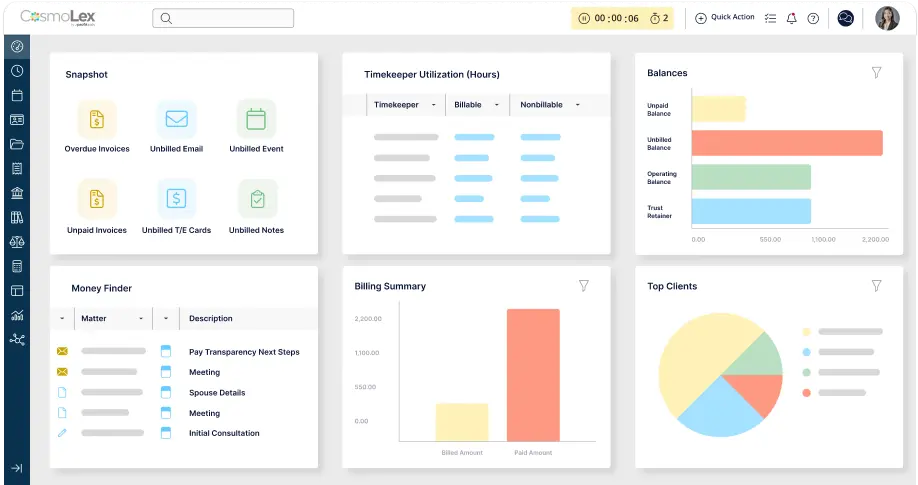
Cybersecurity improves fastest when your tools reduce risk by design. CosmoLex helps firms improve security by keeping documents, payments, and client data in one controlled system, so fewer tasks rely on manual workarounds or risky shortcuts.
Get built-in protections that work behind the scenes to tighten your firm’s security:
- Secure file-sharing to reduce risky attachments, scattered file links, and one-off sharing workarounds.
- Secure legal payment processing to protect financial workflows with PCI-focused security that integrates with your billing and accounting tools.
- Built-in access controls and authentication options to ensure staff has access to the data they need—and none they don’t.
- Bank-level security standards backed by SOC 2 Type II controls and encryption to support client confidence and reliability.
Ready to make security easier to manage day to day? Start your free trial now or get a personalized demo to explore how CosmoLex helps protect sensitive data while you keep work moving.