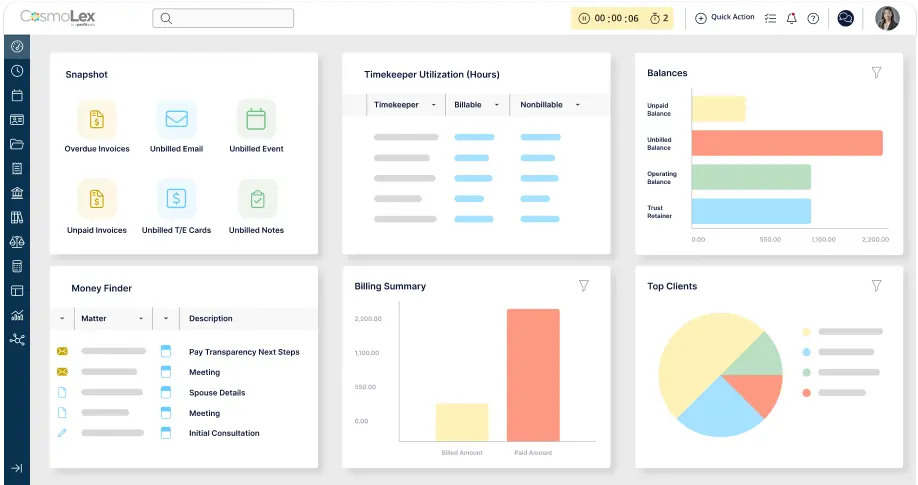
Books that stay balanced, compliant, and audit-ready.
Built for law firms, with trust accounting, tax rules and state bar requirements built in. One login connects practice management, billing and accounting for thousands of firms since 2013.

Accounting built into your practice.
Billing, trust and business accounting in one system, built for the way law firms work.

Billing data flows automatically into your general ledger. Choose cash or accrual accounting, and bring in transactions with automated bank feeds and electronic statement imports.


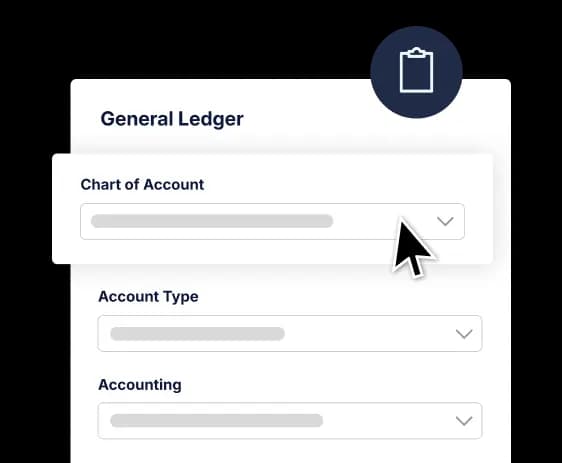
Start with a chart of accounts made for law firms, then customize it to fit yours. Print checks and deposit slips right from CosmoLex.


CosmoLex collects new bank transactions and matches them to your book entries automatically. Bank feeds are included free, so your balances stay accurate without extra tools.


Track hard and soft matter costs, write-offs and accounts payable in the same system you use for billing. One complete view of your firm’s finances, no switching between apps.
Billing data flows automatically into your general ledger. Choose cash or accrual accounting, and bring in transactions with automated bank feeds and electronic statement imports.
Start with a chart of accounts made for law firms, then customize it to fit yours. Print checks and deposit slips right from CosmoLex.
CosmoLex collects new bank transactions and matches them to your book entries automatically. Bank feeds are included free, so your balances stay accurate without extra tools.
Track hard and soft matter costs, write-offs and accounts payable in the same system you use for billing. One complete view of your firm’s finances, no switching between apps.
Billing data flows automatically into your general ledger. Choose cash or accrual accounting, and bring in transactions with automated bank feeds and electronic statement imports.
Start with a chart of accounts made for law firms, then customize it to fit yours. Print checks and deposit slips right from CosmoLex.
CosmoLex collects new bank transactions and matches them to your book entries automatically. Bank feeds are included free, so your balances stay accurate without extra tools.
Track hard and soft matter costs, write-offs and accounts payable in the same system you use for billing. One complete view of your firm’s finances, no switching between apps.
Billing data flows automatically into your general ledger. Choose cash or accrual accounting, and bring in transactions with automated bank feeds and electronic statement imports.
Start with a chart of accounts made for law firms, then customize it to fit yours. Print checks and deposit slips right from CosmoLex.
CosmoLex collects new bank transactions and matches them to your book entries automatically. Bank feeds are included free, so your balances stay accurate without extra tools.
Track hard and soft matter costs, write-offs and accounts payable in the same system you use for billing. One complete view of your firm’s finances, no switching between apps.
Stay compliant and audit-ready
Trust accounting that keeps you compliant
- Keep one or more trust accounts separate from operating accounts, with funds transferred automatically when it’s time.
- Stop ledger overdrafts and commingling before they happen.
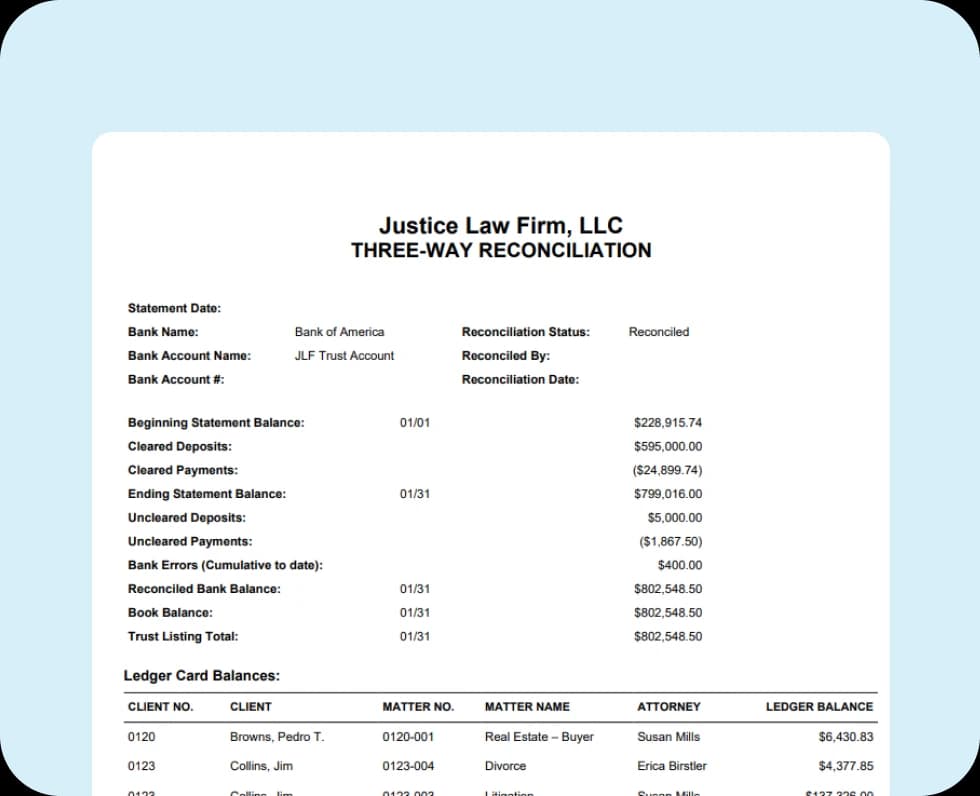
- Import bank statements, auto-reconcile and run three-way reconciliation reports in one click.
Financial reporting with real-time insight
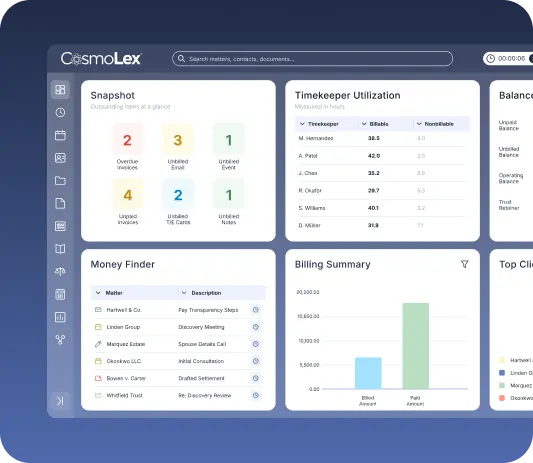
- See revenue, expenses and firm performance on configurable dashboards.
- Start from pre-built report templates for accounting, banking, billing and productivity.
- Run trust reports, including ledger balances, journals and three-way reconciliations, whenever you need them.
Keeping firms connected to the people they serve.
Accounting is only the beginning.
Your books start with the work your firm does every day. In CosmoLex, every hour, invoice and payment connects back to your accounting.
Time & billing
The time you track becomes invoices, and every invoice posts to your books automatically. No re-entry between billing and accounting.
Invoicing & online payments
Clients pay by card, ACH, Apple Pay or Google Pay. Payments land in the right account, including trust, and card fees come from your designated account, not client funds.
Payment reminders
Automatic late-payment reminders follow up for you, so outstanding invoices get paid without awkward chasing.
Secure client portal
Clients get one secure place to share files, sign documents and pay invoices online.
Matter management
Billing, expenses and trust activity all tie back to the matter, so you can see the financial picture of every case.
Integrations
Already use QuickBooks? Firms can send CosmoLex data to QuickBooks Online (U.S. firms only).
- Bank-grade security, SOC 2 Type 2 certified.
- One connected practice management platform.
- Try free. No credit card required.
All the tools your firm needs
to run your business.
Built with the needs of modern small and mid-sized law firms in mind, CosmoLex's legal practice management software increases efficiency and profitability.
LEGAL PRACTICE MANAGEMENT RESOURCES
Access CosmoLex‘s free materials on how to elevate your legal practice management.

- What Forms of Payment Do Lawyers Accept?
- Commingling Funds: Understanding the Risks and Legal Implications
- What is a three-way reconciliation?
- What is the difference between an operating retainer and a trust retainer?
- Attorney Billing Increments: Which One Fits Your Firm?
Frequently asked questions.
What is law firm accounting?
Law firm accounting refers to the specialized accounting processes used to manage the financial activities of a law firm. It involves tracking and organizing the firm’s finances, ensuring compliance with legal and regulatory requirements, and providing accurate financial reporting to partners, managers, and stakeholders.
What is the difference between law firm accounting and trust accounting?
Law firm accounting is related to the business accounting of the practice, including trust accounting. It also incorporates financials such as income, expenses, overhead costs, etc. Trust accounting is more specific to the management of client funds that are entrusted to the firm. They can hold onto these funds for external payments, such as legal fees and settlements. Trust accounting funds must be managed separately from the office accounting to ensure compliance with local, state and national bar association compliance, including IOLTA and IOLA programs.
Why does my practice need law firm accounting software?
Legal accounting software provides law firm owners with one place to manage their finances. CosmoLex’s accounting software for small law firms efficiently organizes and streamlines financial transactions. This increases efficiency across other law firm functions, including legal billing, legal time tracking, and trust accounting.
How will using CosmoLex’s law firm accounting affect my clients?
CosmoLex is designed for attorneys and law firms, but it has major benefits for clients, too. When you use CosmoLex to manage your business accounts, you improve the client experience from your first touchpoint to your last. CosmoLex’s automation and client management tools help firms streamline client intake, making the process fast and seamless with features like secure document sharing and e-signature. During representation, clients access a secure client portal where they can message their attorney, send and view important documents, and access their billing reports. CosmoLex also enables clients with the option to pay invoices via credit card or online, improving law firm accessibility and boosting client convenience. Law firms can create professional-looking invoices and email them to clients in one click, helping clients get their bills paid by their due date. They can even use the accounting software to send automatic late payment reminders to past-due clients to help clients stay on track with payments throughout their matter. CosmoLex is the only end-to-end practice management solution for matter management, firm accounting, and more.
What makes CosmoLex’s law firm accounting software different from other apps?
CosmoLex’s law firm accounting software stands out because it is specifically designed to meet the unique financial and compliance needs of law firms. Unlike generic accounting apps, it combines legal-specific features like trust accounting, three-way reconciliation, and matter-based billing in a single platform. By integrating accounting, billing, and practice management, CosmoLex eliminates the need for multiple tools, ensuring compliance and streamlining law firm operations.
Does CosmoLex Integrate with QuickBooks?
Yes, CosmoLex offers a QuickBooks Online integration for law firms on Core and Pro pricing tiers. This option is designed for firms that need to keep their existing QuickBooks setup, such as those working with an outside accountant who uses QBO. When the integration is enabled, data flows in one direction from CosmoLex to QuickBooks Online, and CosmoLex's built-in Business Accounting and Matter Budgets features are unavailable. For firms without a specific QuickBooks requirement, CosmoLex's native accounting remains the recommended path.
Simplify your practice with one tool.
Book a demo.
Book a personalized demo with a CosmoLex specialist and see the platform in action.